For police, fire and fleet upfitters
Quote the build. Hold the parts.
QuickBooks won’t hold a lightbar for a job you haven’t invoiced. So the shelf says one thing and your quotes say another. UpfitHQ holds the parts from the quote through the build, then sends the invoice straight back into your books.
What it does
The whole job, in one place
Inventory that knows about jobs
A sales order reserves its parts. A quote doesn’t. So the number on the screen is what you can actually promise, not what QuickBooks counted this morning.
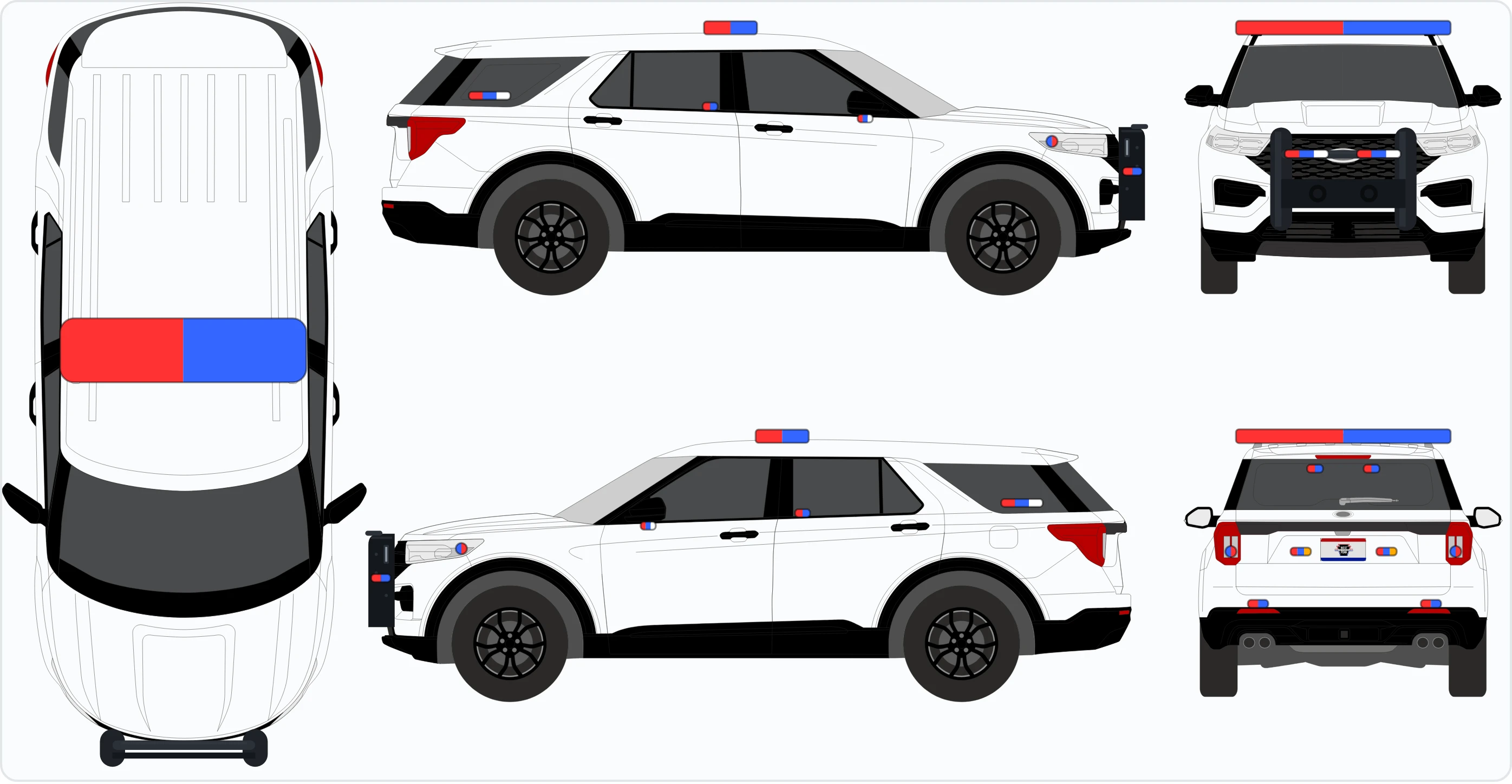
Quote a vehicle by drawing it
Pick the vehicle, drop the lights on all four views, pick the lens colors. The customer gets a picture on their quote. The tech gets the same picture on their phone.
One estimate, forty builds
Quote forty cars on one estimate, then split it into forty jobs, each one assigned, scheduled, clocked and finished on its own. Paste the VINs and they name themselves.
Purchase orders to your vendors
Order the short parts straight off the job, email the PO as a PDF, take the delivery. On QuickBooks it posts the bill and moves the stock for you.
The floor runs on a phone
Clock in on the job, work the parts checklist, shoot the vehicle in and shoot it out. No prices anywhere on a tech’s screen.
Paperwork that looks like you
Your logo, your colors, your terms, your address. Quotes go out as a PDF and a live link with no login, and you can see when they opened it.
The whole point
Stop keeping the real numbers in one person’s head.
Every shop that outgrows a spreadsheet ends up running on one person who knows what’s actually on the shelf, what’s already spoken for, and which job is short two brackets. That person is the system.
UpfitHQ is that, written down. The answer’s on a screen instead of in somebody’s head, and the shop still runs on the day they’re out.
Every screen here is real
This is the software, not a mock-up
Real screens from the software, with a made-up company in it. Every shop on UpfitHQ runs the same code. Open the demo and click anything.
No password, and it resets itself, so nothing you do in there sticks. Open the live demo →
Who it is for
Shops that install, not shops that ship boxes
Built in a working upfit shop, for the way that shop actually runs, and sharpened by every shop that has come on since.
Police, fire and EMS upfitters
Lightbars, sirens, consoles, partitions, push bumpers, radios. Seven manufacturers’ price books load straight in, part numbers and all.
Municipal work, with the paperwork it brings
Townships, boroughs, counties. Tax-exempt customers, the PO number they gave you, and a packing slip with no prices on it.
One shop or three
Stock is counted per shop, not per company. Each shop’s address prints on its own paperwork, and a tech clocks in at the shop the job belongs to.
Two people or twenty
Two roles, no tiers to administer. A tech sees the jobs they’re on and never sees a price. That’s a rule in the software, not a setting to get wrong.
What it costs
Two plans, two add-ons, and the price is on the page
Most shop software makes you book a call to find out what it costs. Here it is. Month to month, no contract, cancel whenever you like.
Solo
$199 per month
For the shop where the people who quote the job also build it, whether that is you on your own or a small crew. Quote it, draw it, wire it and bill it.
What you get
- Estimates with the vehicle drawn: lightbars, bumpers and every lens color, at real size on the real car
- The wiring diagram for Whelen and SoundOff controllers: which output each lens color goes to, the fuse that feeds it, the load against every rating, a cut list for the harness, and a sign-off once it is tested
- Your parts catalog at your prices. Seven manufacturers’ price books load straight in, part numbers and all
- A page the customer opens on their phone, and a PDF, both under your name and logo
- Invoices: emailed with the PDF, and marked paid when the money lands
- Counter sales on a sales ticket, with a packing slip that has no prices on it
- Tax-exempt customers, their PO number, and one quote split across forty cars
- QuickBooks both ways if you use it, and nothing missing if you don’t
Shop
Everything$449 per month
Everything in Solo, plus the back of the shop: what is on the shelf, what is on order, and who is on the car.
Everything in Solo, plus
- Stock counted per shop, and committed to a job the moment it is sold
- A build that will not start short: it names the missing parts before anybody walks to the shelf
- Purchase orders to your vendors: emailed, or pushed to QuickBooks, and received against
- The technician app: the job on their phone, the drawing, clock in and out, photos and video of the car
- A month of the schedule on one screen, and the hours left on every build
- Breakage, warranty holds, and a time-correction queue for the punch somebody forgot
- Two shops or three, each with its own shelf and its own address on its own paperwork
Add-ons
Books and Payroll Prep together are $129 a month.
Books
Either plan$79 per month
Your own books, kept with the jobs they came from. If QuickBooks is only your books, this can replace it.
- Every invoice posts to the books the moment it is raised
- Payments received, one check across several invoices, and customer credit
- Vendor bills and paying them, and expenses with the receipt photographed
- The bank, the cash drawer and the card reconciled against their statements
- Profit and loss, balance sheet, sales tax owed, and statements to customers
- Transactions are ticked off the bank statement; nothing is pulled from your bank automatically
Payroll Prep
Shop plan$59 per month
The technicians’ hours, ready for whoever runs your payroll.
- A day clock with unpaid breaks, kept apart from the time on each job
- Pay periods every week, every two weeks or twice a month
- Overtime by the week, and by the day where your state needs it
- Pay rates with their history, and gross pay worked out
- Approve the period, then export it for your payroll service
- It does not calculate or file taxes or pay anyone: your payroll service still does that
Both plans carry a one-time setup, between $500 and $2,000 depending on the plan and the size of the shop. That is us loading your parts, your customers and your vehicles, putting your logo on the paperwork, and sitting with you until it is running. It is not a fee for switching something on.
Starting on Solo and wanting the shop floor later, or adding Books or Payroll Prep, is a switch we flip. Nothing is rebuilt, nothing is retyped, and every quote, customer and part stays exactly where it is.
Getting started
Four steps, and the first one is a phone call
A 20-minute call
We go through how your shop actually runs: one location or three, who quotes, who buys, what you charge for delivery, whether you charge tax at all.
Your shop, set up from your answers
Your company details, your brand, your suppliers, your locations, your people. You get a shop that already reads like yours, not an empty template.
Your catalog
Out of your QuickBooks if you use it. Out of the manufacturers’ books if you don’t: Whelen, Havis, Setina, SoundOff, Troy, Pro-Gard and Plastix Plus, part numbers and prices.
Your first real quote
On a screen share, with us on the call. Not a login emailed to you and good luck.
See it before you talk to anybody
The demo opens with no password
The real software with a made-up shop in it: quotes, jobs, parts, a drawn cruiser and a tech’s phone. Click anything. It resets itself.